
Manage Dynamic Recipes
Create and manage dynamic package recipes that automatically update when new software versions are released.
-
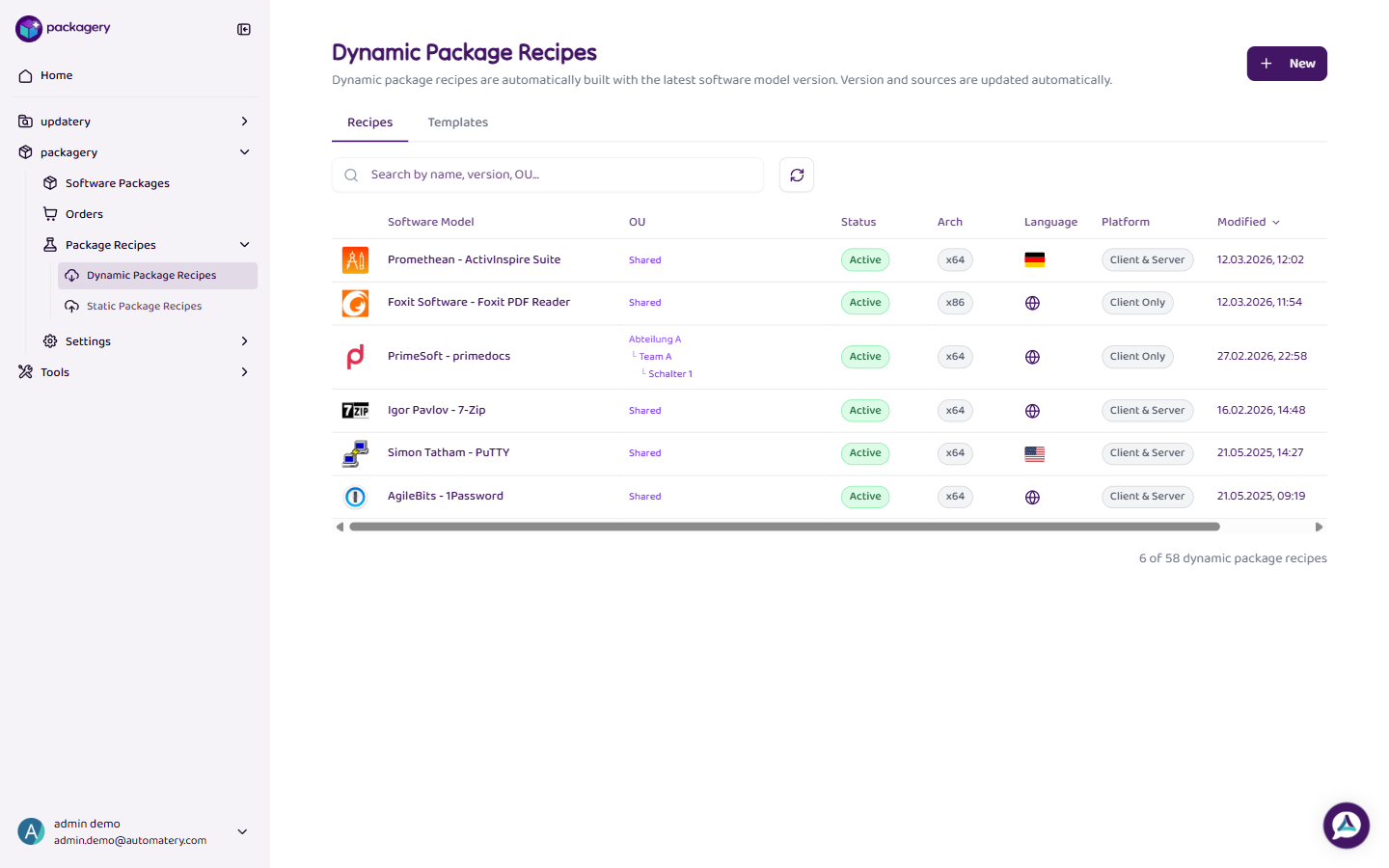
Navigate to Package Recipes and select Dynamic Recipes
Navigate to Package Recipes and select Dynamic Recipes. You see two tabs: Recipes (your recipes) and Templates (preconfigured templates).
-
Click + New to create a new dynamic recipe
Click + New to create a new dynamic recipe. Select a software from the catalog, set the organizational unit (OU) and platform, and assign a configuration profile.
-
Configure optional parameters like language and architecture
Configure optional parameters like language and architecture. New recipes are created as Draft. Change the status to Active to make them available for ordering.
-
Click
Alternatively, use the Templates tab to create a recipe from a preconfigured template with pre-filled default values.
-
Click on an existing recipe to edit or delete it
Click on an existing recipe to edit or delete it. Dynamic recipes are suited for software that is regularly updated (e.g., browsers, Office products).